1. Realtime Database에 데이터 저장
1.1. setValue() 메소드
- 새 데이터를 쓰거나 기존의 데이터를 변경할 때 사용
* 예제: 채팅 메시지 전송
1. 데이터를 쓰기 위해 DatabaseReference를 선언한다.
private var databaseReference = database.getReference(UserInfoConstants.CHAT_ROOM)
2. 데이터를 저장할 경로를 지정한다.
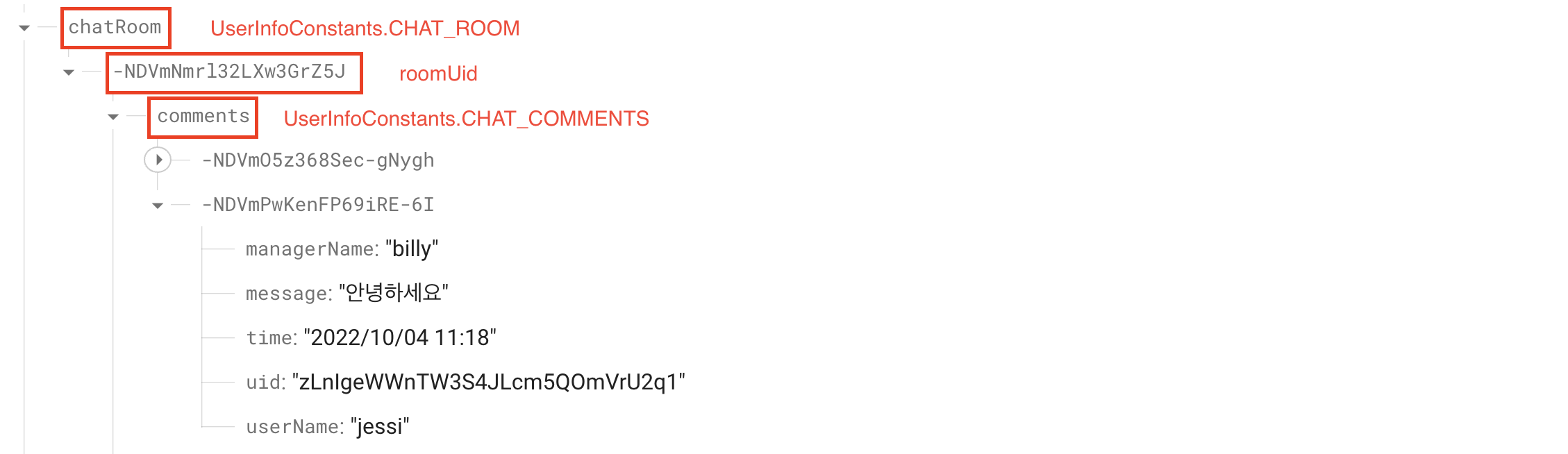
3. setValue()메소드를 사용하여 저장할 데이터를 보낸다.
- 사용 가능한 JSON 유형에 해당하는 유형은 다음과 같다.
- String
- Long
- Double
- Boolean
- Map<String, Object>
- List<Object>
- 또는 사용자가 정의한 JAVA 객체

> 예제 코드
// 메시지 전송
private fun sendMessage() {

    val message = binding.chatMessage.text.toString()

    val now: Long = System.currentTimeMillis()
    val dateFormat = SimpleDateFormat("yyyy/MM/dd HH:mm", Locale.KOREA)
    val currentTime = dateFormat.format(now)

    val comment = ChatModel.Comment(uid.toString(), userName, managerName, message, currentTime)

    // 메시지 보내기
    databaseReference.child(roomUid!!).child(UserInfoConstants.CHAT_COMMENTS).push().setValue(comment)
    binding.chatMessage.setText("")

}
2. Firestore Database에 데이터 저장
2.1. set() 메소드
- 개별 문서를 만들거나 변경할 때 사용
- 문서가 없을 경우 문서를 새로 만들어서 저장한다.
- 이미 같은 문서가 존재할 경우 내용을 덮어쓴다.
* 예제: 가입한 사용자 정보 저장
1. instance를 선언한다.
private val db = FirebaseFirestore.getInstance()
2. set() 메소드에 새 가입자의 정보를 담아준다.
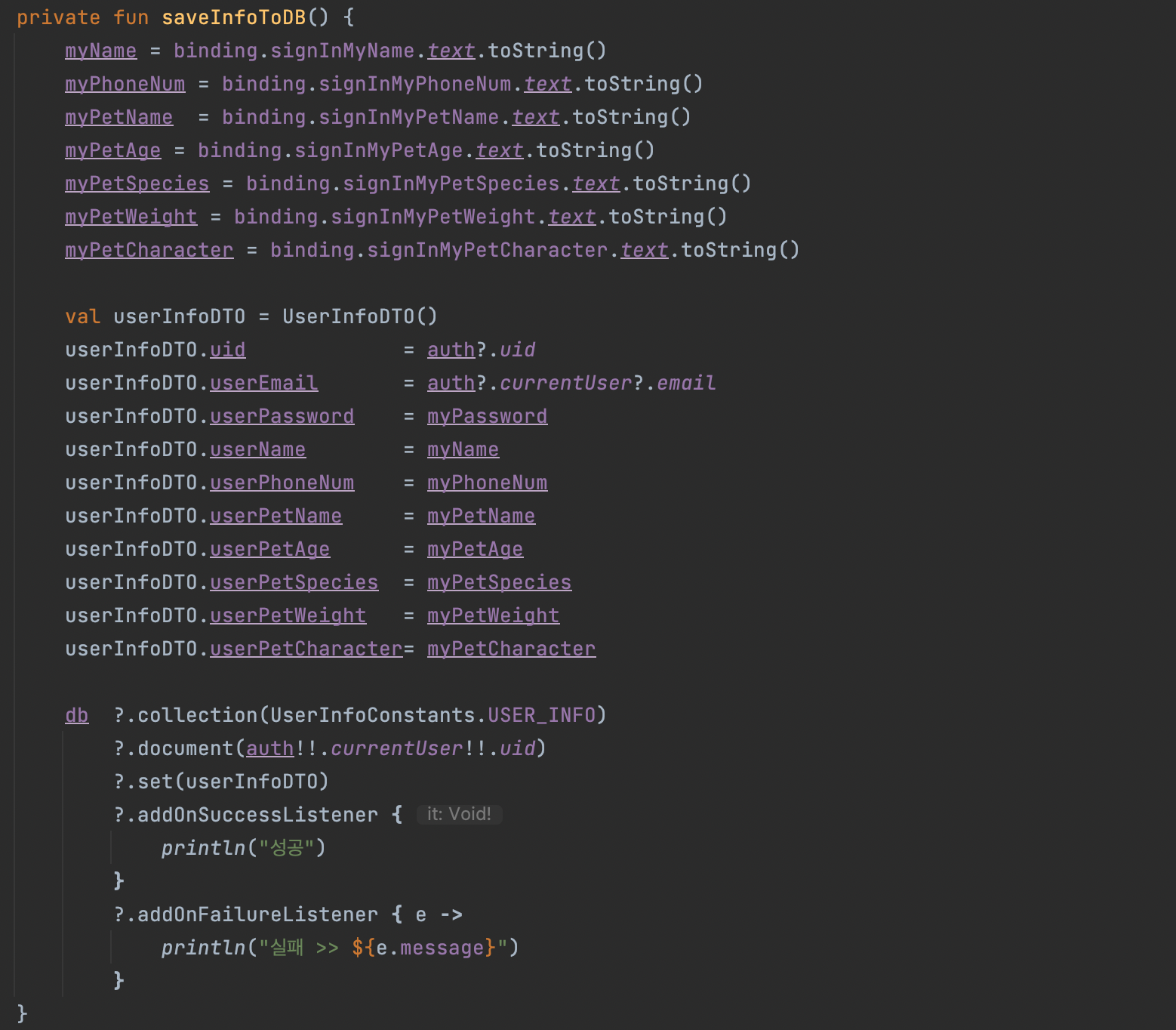
> 예제 코드
private fun saveInfoToDB() {
    myName = binding.signInMyName.text.toString()
    myPhoneNum = binding.signInMyPhoneNum.text.toString()
    myPetName  = binding.signInMyPetName.text.toString()
    myPetAge = binding.signInMyPetAge.text.toString()
    myPetSpecies = binding.signInMyPetSpecies.text.toString()
    myPetWeight = binding.signInMyPetWeight.text.toString()
    myPetCharacter = binding.signInMyPetCharacter.text.toString()

    val userInfoDTO = UserInfoDTO()
    userInfoDTO.uid             = auth?.uid
    userInfoDTO.userEmail       = auth?.currentUser?.email
    userInfoDTO.userPassword    = myPassword
    userInfoDTO.userName        = myName
    userInfoDTO.userPhoneNum    = myPhoneNum
    userInfoDTO.userPetName     = myPetName
    userInfoDTO.userPetAge      = myPetAge
    userInfoDTO.userPetSpecies  = myPetSpecies
    userInfoDTO.userPetWeight   = myPetWeight
    userInfoDTO.userPetCharacter= myPetCharacter

    db  ?.collection(UserInfoConstants.USER_INFO)
        ?.document(auth!!.currentUser!!.uid)
        ?.set(userInfoDTO)
        ?.addOnSuccessListener {
            println("성공")
        }
        ?.addOnFailureListener { e ->
            println("실패 >> ${e.message}")
        }
}
(참고)
1. Firebase RealtimeDatabase
https://firebase.google.com/docs/database/android/read-and-write?hl=ko#kotlin+ktx_2
Android에서 데이터 읽기 및 쓰기 | Firebase 실시간 데이터베이스
Firebase Summit에서 발표된 모든 내용을 살펴보고 Firebase로 앱을 빠르게 개발하고 안심하고 앱을 실행하는 방법을 알아보세요. 자세히 알아보기 이 페이지는 Cloud Translation API를 통해 번역되었습니
firebase.google.com
2. Firebase Firestore
https://firebase.google.com/docs/firestore/manage-data/add-data?hl=ko
Cloud Firestore에 데이터 추가 | Firebase
Firebase Summit에서 발표된 모든 내용을 살펴보고 Firebase로 앱을 빠르게 개발하고 안심하고 앱을 실행하는 방법을 알아보세요. 자세히 알아보기 이 페이지는 Cloud Translation API를 통해 번역되었습니
firebase.google.com
'Android Studio' 카테고리의 다른 글
| [Android][Firebase][해결]Missing or insufficient permissions. (0) | 2022.11.07 |
|---|---|
| [Android][Java]editText에 maxLines="1" 적용 (0) | 2022.09.23 |
| [Android][Firebase][해결]StorageException (0) | 2022.09.20 |
| [Android][Firebase][Kotlin]데이터 읽기 관련 메소드 (0) | 2022.09.09 |
| [Android][해결]적용 안되던 Hide NavigationBar (0) | 2022.04.13 |


